
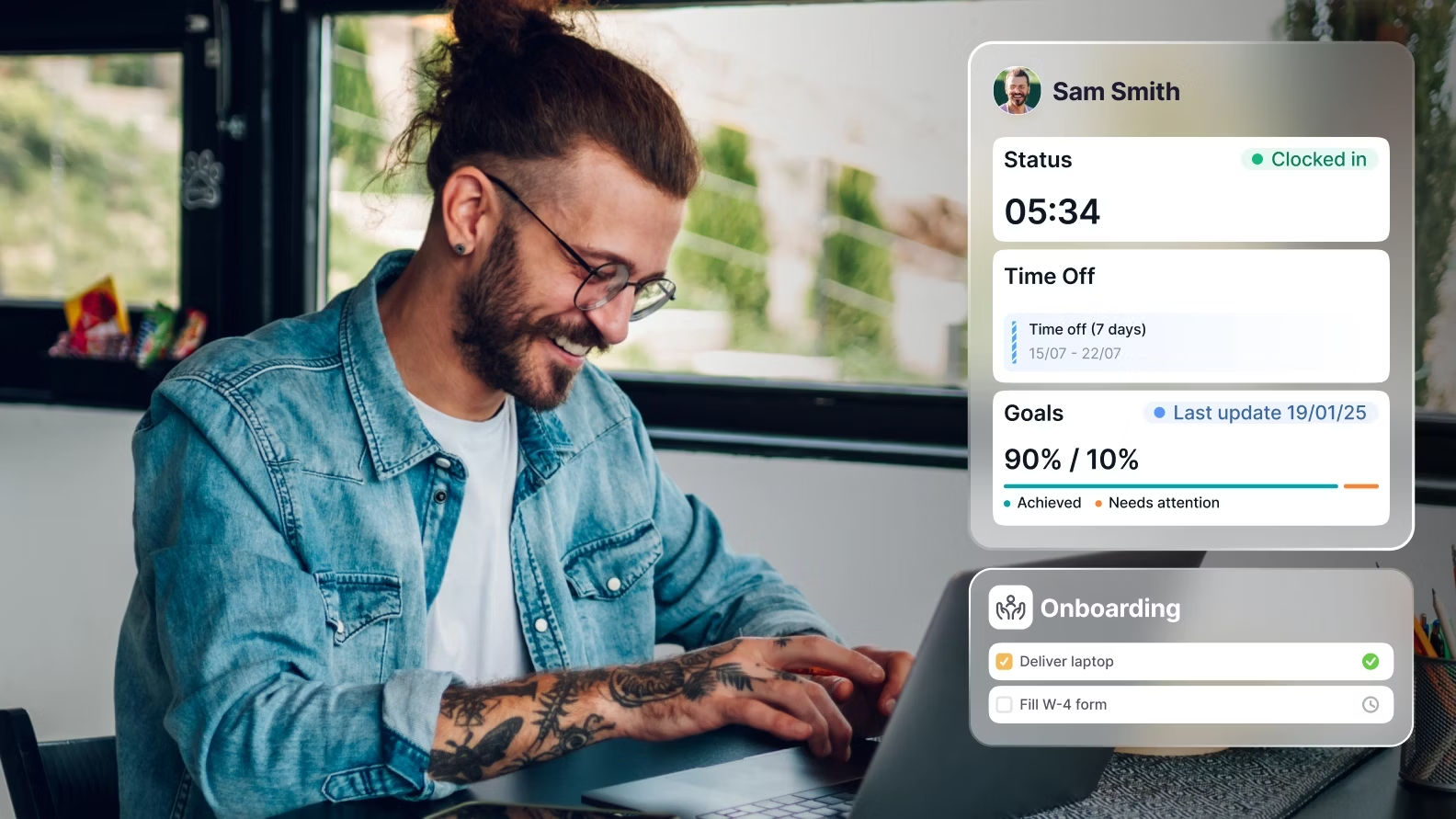

From ClickUp to Factorial: What Happens When Your Task Tool Becomes Your Accidental HR System
Discover how an innocuous ClickUp setup can unintentionally evolve into an HR system, leading to compliance issues for SMEs. Learn the pitfalls and solutions!
Marvin Molijn
CEO Faqtic.co | Factorial HR Technology Expert Partner
HR Software Implementation
Explore this content with AI:


It starts innocently enough. Someone creates a ClickUp space called "HR" and adds a checklist for new starters. Then a leave tracker. Then a folder for contracts. Then a custom field for emergency contacts. Before anyone's made a deliberate decision, ClickUp has quietly become the company's HR system — and nobody realises the problem until something breaks.
If you're running a 30 to 200-person SME somewhere in Europe and you recognise that pattern, this article is for you. Not because ClickUp is a bad tool. It's genuinely excellent at what it's designed to do. But what it's designed to do is manage projects and tasks, not people and compliance. And the gap between those two things gets expensive fast.
How Does a Task Management Tool Like ClickUp Accidentally Become Your HR System?
It happens because ClickUp is flexible, familiar, and already open on everyone's screen. When a growing team needs to track onboarding tasks, it's the obvious place to start. A checklist here, a due date there, a doc for the employee handbook. Done.
The slow creep goes something like this: onboarding checklists become recurring templates. Leave requests start coming in as task comments. Someone builds a "People" database using custom fields. A manager creates a view that shows who's in the office this week. The ops team starts storing contracts in ClickUp Docs because it's easier than emailing PDFs around.
None of these decisions are wrong, exactly. They're pragmatic. They work well enough when there are 15 people. At 40 people, cracks start to show. At 70, it's genuinely painful. At 100 or more, it's a liability.
Why does ClickUp feel like it's working until it really doesn't?
ClickUp feels like it's working because it's visible and customisable. You can see tasks, assign owners, and track progress. That gives the impression of control. But there's a difference between tracking tasks and managing people. HR isn't just about ticking boxes. It's about audit trails, legal compliance, data security, and employee rights. ClickUp doesn't have those things built in, because it was never meant to.
The moment founders and ops managers realise they've outgrown it is usually one of three things: a leave dispute with no verifiable record, a new hire who slipped through an incomplete onboarding process, or a GDPR query that reveals sensitive employee data is sitting in a shared workspace with no access controls.
What Are the Real Costs of Running HR Inside a Project Management Tool?
"Faqtic has been a great partner. Their support and responsiveness made the transition smooth and helped us get up and running quickly."
Jimmy Nguyen
CEO, Digital Recipe

The costs are real, they're ongoing, and most of them are invisible until they're not. Here's what's actually happening in the background while your team uses ClickUp as an HR workaround.
What compliance exposure comes from missing audit trails?
An audit trail in HR is a time-stamped, tamper-evident record of every action taken on an employee record: who approved a leave request, when a contract was signed, which version of a policy an employee acknowledged. ClickUp doesn't create these records automatically. Tasks get edited, comments get deleted, and there's no way to prove what happened when.
For SMEs in the Netherlands, UK, Ireland, or the Baltics, this isn't just an inconvenience. Dutch labour law requires specific record-keeping around working hours and leave. UK employment law requires evidence of right-to-work checks. GDPR requires that personal data is processed lawfully and that you can demonstrate how. ClickUp can't help you demonstrate any of that.
How many admin hours does a ClickUp HR workaround actually waste?
Conservatively, HR teams running people operations through ClickUp spend 5 to 10 hours per week on tasks that a purpose-built HR system would handle automatically. That includes manually updating leave balances, chasing document signatures, re-entering data from forms, and answering employee questions that a self-service portal would answer instantly.
For a 60-person company, that's roughly 250 to 500 hours of admin time per year. At an average HR coordinator rate, that's a meaningful cost. And it scales upward with every new hire.
What Is the Difference Between a Task Tool and a Dedicated HR System?
An HR system (also called an HRIS, or Human Resource Information System) is purpose-built software that manages the full employee lifecycle: hiring, onboarding, contracts, leave, time tracking, performance, payroll integration, and offboarding. It stores employee data securely, enforces access controls, generates compliance reports, and gives employees a self-service portal to manage their own information.
ClickUp is a work operating system. It manages tasks, projects, documents, and workflows. It's brilliant at those things. But it has no concept of an employment contract, a leave entitlement, a payroll period, or a GDPR data subject request. Those aren't feature gaps. They're category differences.
Where does ClickUp end and Factorial begin?
ClickUp ends where people management begins. The moment you need to track legal leave entitlements, store signed contracts with an audit trail, run an onboarding flow that includes document signing and policy acknowledgement, or give a manager a real-time view of their team's absences, you've crossed into HR system territory. That's exactly where Factorial starts.
Factorial is an all-in-one HR platform built specifically for European SMEs. It covers leave management, onboarding, document management, time tracking, shift planning, performance reviews, and payroll integration, all in one place, with GDPR compliance built into the architecture rather than bolted on as an afterthought.
What Does Factorial Replace When You Move Away From ClickUp for HR?
The short answer: almost everything you've been cobbling together manually. Here's what the replacement looks like in practice.
Leave management: Instead of leave requests landing as ClickUp task comments, Factorial gives employees a self-service leave portal where they submit requests, managers approve or decline with one click, and balances update automatically. No manual spreadsheet. No chasing.
Onboarding flows: Factorial's onboarding module lets you build automated new hire workflows that include document signing, policy acknowledgement, welcome tasks, and equipment requests. Everything is tracked, timestamped, and visible to HR. No more incomplete onboarding because someone forgot to send a form.
Document management: Contracts, offer letters, NDAs, and policy documents are stored in Factorial with version control, e-signature capability, and employee-specific access. Not in a shared ClickUp doc that anyone with workspace access can read.
Time tracking: Factorial's time tracking module handles clock-in/clock-out, project hours, and overtime, all feeding into payroll-ready reports. ClickUp's time tracking is designed for billing and project management, not employment law compliance.
Employee self-service: Employee self-service is a feature in HR software that allows employees to manage their own leave requests, view payslips, update personal details, and access company documents without involving HR. ClickUp has no equivalent. Every employee query becomes an HR admin task.
Why Storing HR Data in ClickUp Is a GDPR Problem for European SMEs
"Faqtic has been a true partner throughout the journey: responsive, hands on, and critical in helping us unlock the full value of the platform."

Megan Boyle
People & Culture Manager, Instant Funding
This is the section most people skip, and it's the one that tends to matter most when something goes wrong. So let's be direct about it.
GDPR requires that personal data is stored with appropriate technical and organisational measures. For HR data, that means role-based access controls (so only the right people can see an employee's salary or medical leave reason), the ability to respond to GDPR data subject access requests within 30 days, data retention policies that are actually enforced, and the ability to demonstrate all of the above.
ClickUp is a shared workspace. Access controls exist at the space and list level, but they're not designed around HR data sensitivity. A task that contains an employee's home address, salary, or reason for sick leave can be visible to anyone with workspace access if permissions aren't meticulously maintained. And in a fast-growing team, they rarely are.
For SMEs in the Netherlands, UK, Ireland, Estonia, Latvia, or Lithuania, this isn't a theoretical risk. Dutch data protection authority (AP) enforcement has increased significantly. UK ICO fines for data protection failures are well-documented. The question isn't whether your ClickUp HR setup is technically compliant. It almost certainly isn't. The question is how long before that becomes a problem.
Factorial is built for European compliance. Data is stored on European servers, access controls are built around employment roles, and the platform supports GDPR data subject requests natively. It's not a workaround. It's the actual solution.
Is Your ClickUp HR Setup About to Break? A 7-Point Readiness Checklist
If you're unsure whether your current setup is sustainable, work through this checklist. If you tick three or more boxes, you're already past the point where switching is optional.
-
You have more than 30 employees and leave is still tracked in ClickUp or a spreadsheet.
-
You can't produce a complete, timestamped record of a specific employee's onboarding in under five minutes.
-
Employee contracts are stored in ClickUp Docs or Google Drive with no version control or access logging.
-
HR data (salaries, sick leave reasons, personal addresses) is visible to people who don't need to see it.
-
You've had at least one leave dispute, payroll error, or onboarding gap in the past 12 months that was caused by a manual process.
-
You're operating across more than one legal entity or country, and HR standards aren't consistent between them.
-
You're about to hire your first dedicated HR person, and the first thing they'll have to do is untangle a ClickUp mess.
Three or more? You don't have an HR software problem. You have a switching problem. And the longer you wait, the messier the data gets.
When Should a European SME Switch From ClickUp to Factorial?
The right time to switch is before the breaking point, not after it. But there are specific trigger events that make the decision urgent.
What headcount thresholds signal it's time to switch?
Most SMEs hit the ClickUp HR wall somewhere between 30 and 50 employees. Below 30, the workarounds are manageable. Above 50, the admin overhead and compliance risk compound quickly. If you're growing at 15 to 20 hires per year, you should be implementing a proper HR system before you hit 40 employees, not after.
What compliance events force the switch?
Opening a second entity in another country is the single biggest trigger. The moment you have employees in both the Netherlands and the UK, or Ireland and Estonia, you're dealing with two different employment law frameworks, two different payroll requirements, and two different GDPR implementations. ClickUp handles none of that. Factorial handles all of it.
Other trigger events include a first compliance audit, a GDPR data subject access request you can't answer cleanly, hiring a first dedicated HR manager (who will immediately identify the ClickUp setup as a risk), or approaching a funding round where investors want to see clean people operations.
What Actually Happens to Your ClickUp Data When You Migrate to Factorial?
This is the question nobody else answers specifically, so here's the honest breakdown.
What HR data can you migrate from ClickUp to Factorial?
The data that migrates is structured employee data: names, start dates, job titles, departments, contract types, and leave balances. This data typically lives in ClickUp custom fields or databases and can be exported as CSV files for import into Factorial.
What doesn't migrate cleanly: task comments used as leave records (these need to be manually interpreted and re-entered), documents stored in ClickUp Docs (these need to be downloaded, reviewed, and re-uploaded into Factorial's document management system), and any "HR logic" built into ClickUp automations (these need to be rebuilt as Factorial workflows).
The honest reality is that most ClickUp HR data is semi-structured at best. Before migration, it needs to be audited, cleaned, and standardised. Employee records often have inconsistencies. Leave balances may not match payroll records. Contract versions may be unclear. This is normal. It's also exactly why migration support matters.
What is the realistic migration timeline for a 50 to 200-person SME?
A well-managed migration from ClickUp to Factorial for a 50-person European SME takes 30 to 45 days from kickoff to go-live. That includes data audit and cleaning (week one to two), Factorial configuration to match your org structure, leave policies, and workflows (week two to three), data import and validation (week three to four), and manager and employee training plus go-live support (week four to five).
DIY implementations routinely take longer, because the configuration decisions are non-trivial and data cleaning is underestimated. A 60-person company that tries to implement Factorial without support typically takes 60 to 90 days and often goes live with incomplete data or misconfigured leave policies.
What a 60-Person Dutch SME Learned After Switching From ClickUp to Factorial With Faqtic
A 60-person scale-up based in Amsterdam had been running HR out of ClickUp for three years. They had a People Operations lead, a reasonably well-maintained ClickUp workspace, and a growing sense that something was going to break. The trigger was a Dutch Works Council request for a complete record of all leave taken in the previous 12 months. They couldn't produce it.
They came to Faqtic at that point. Not because they'd been planning a migration, but because a compliance event forced the issue. The Faqtic team ran a data audit in week one and found three things: leave balances that didn't match payroll, employee records with missing contract versions, and sensitive personal data accessible to 12 people who had no business reason to see it.
The migration took 38 days. Factorial was configured for Dutch labour law, including holiday accrual rules and sick leave reporting requirements. All employee records were cleaned and imported. The People Operations lead was trained on Factorial's admin functions. Employees were onboarded to the self-service portal. By day 38, the company had a clean, compliant HR system and could answer the Works Council request in under an hour.
The outcome: 7 hours of HR admin saved per week, zero leave disputes in the six months following go-live, and a GDPR-compliant employee data architecture that passed a subsequent audit without issue.
Should You Implement Factorial Directly or Work With a Certified Partner Like Faqtic?
This is the question that determines whether your implementation goes smoothly or becomes a six-month project that nobody owns. Here's the honest comparison.
Factorial direct vs. Faqtic-led implementation: which is right for your company size?
|
Company profile |
Direct with Factorial |
Faqtic-led implementation |
|---|---|---|
|
Under 25 employees, single entity, no existing HR data |
Viable. Low complexity, limited data to migrate. |
Optional. Faqtic can accelerate, but DIY is manageable. |
|
25 to 100 employees, switching from ClickUp or spreadsheets |
Risky. Data cleaning and configuration decisions are underestimated. |
Recommended. Faqtic handles data audit, migration, and go-live in 30 to 45 days. |
|
100 to 300 employees, multi-entity across NL/UK/IE/Baltics |
Not advised. Multi-entity configuration is complex and error-prone without expertise. |
Essential. Faqtic's methodology covers cross-entity configuration, local compliance, and phased rollout. |
|
Switching from another HR system (Personio, BambooHR, HiBob) |
Possible but slow. No structured migration support from Factorial directly. |
Strongly recommended. Faqtic has migrated from all major HR platforms and knows the data mapping. |
Why do 50 to 300-person European SMEs specifically benefit from working with Faqtic?
Faqtic is a certified Factorial partner staffed by former Factorial employees. That matters because Faqtic's team knows the platform's configuration logic from the inside, not from a partner training manual. They know which leave policy settings cause problems with Dutch labour law. They know how to structure multi-entity org charts in Factorial so reporting works cleanly across borders. They know which data fields matter for payroll integration and which ones can wait.
More specifically, Faqtic works exclusively with European SMEs in the 25 to 300-person headcount range, operating in NL, UK, IE, and the Baltics. That's not a general claim. It's a specific segment, and it's the segment where the ClickUp-to-Factorial migration is most common and most consequential. If you're a 50-person Dutch company with a UK subsidiary trying to replace a ClickUp HR setup, Faqtic has done that migration before. Factorial's direct sales team hasn't.
How Does Faqtic's Implementation Methodology Work?
Faqtic's structured implementation runs in four phases over 30 to 45 days:
-
Phase 1: Data audit and discovery (days 1 to 7). Faqtic reviews your existing ClickUp HR setup, maps all employee data, identifies gaps and inconsistencies, and defines the target Factorial configuration.
-
Phase 2: Configuration (days 8 to 21). Factorial is configured to match your org structure, leave policies, working time rules, and document templates. For multi-entity companies, each entity is configured separately with appropriate local compliance settings.
-
Phase 3: Data migration and validation (days 22 to 32). Employee records are imported, leave balances are validated against payroll, and documents are uploaded and assigned. Everything is checked before go-live.
-
Phase 4: Training and go-live (days 33 to 45). HR admins, managers, and employees are trained on their respective Factorial functions. Faqtic provides go-live support and a 30-day post-launch check-in to catch any configuration issues.
The outcome isn't just a live Factorial instance. It's a clean, configured, compliant HR system with trained users and a data foundation that will scale with the business.
Frequently Asked Questions About Switching From ClickUp to Factorial
Can ClickUp and Factorial run in parallel during the transition?
Yes, and for most companies this is the recommended approach. Running both tools for a defined transition period (typically two to four weeks) allows teams to complete in-flight tasks in ClickUp while new HR processes move to Factorial. The key is setting a clear cutover date and communicating it to all employees so ClickUp doesn't continue as a shadow HR system after go-live.
How long does it take to implement Factorial for a 50-person company?
With Faqtic's structured methodology, a 50-person single-entity European SME can go live on Factorial in 30 to 38 days from kickoff. DIY implementations for the same company size typically take 60 to 90 days and often require rework after go-live due to misconfigured leave policies or incomplete data migration.
What HR data can you migrate from ClickUp to Factorial?
Structured data (employee names, start dates, job titles, departments, contract types, leave balances) can be migrated via CSV export and import. Unstructured data (task comments used as leave records, documents in ClickUp Docs) must be manually reviewed and re-entered or re-uploaded. Faqtic's data audit phase identifies exactly what needs to move and what can be archived.
Do I need a Factorial implementation partner or can I set it up myself?
For companies under 25 employees with no existing HR data, self-implementation is feasible. For 25 to 300-person European SMEs switching from ClickUp or another HR tool, a certified partner like Faqtic significantly reduces implementation time, data risk, and the likelihood of post-go-live configuration problems. The cost of partner-led implementation is typically recovered within three to four months through admin time savings alone.
Is Factorial GDPR compliant for European SMEs?
Yes. Factorial is built for European compliance, with data stored on European servers, role-based access controls, support for GDPR data subject access requests, and configurable data retention policies. This is a meaningful difference from ClickUp, which is a US-based platform not designed with European HR data requirements in mind.
Can ClickUp be used as an HR system for small businesses?
ClickUp can handle basic HR-adjacent tasks like onboarding checklists and document storage for very small teams (under 20 people). It cannot function as a compliant HR system because it lacks audit trails, GDPR-safe data architecture, leave entitlement management, payroll integration, and employee self-service. For any European business planning to grow past 25 employees, building HR processes in ClickUp creates technical debt and compliance risk that compounds with every new hire.
What Is the Next Step If You're Ready to Move From ClickUp to Factorial?
Don't go to Factorial's website and start a free trial. That's the path to a 90-day self-implementation with incomplete data and a misconfigured leave policy. It's not the fastest route to a working HR system. It's just the most obvious one.
The smarter move, specifically for European SMEs between 25 and 300 employees, is to start with a free migration risk assessment from Faqtic. This is a structured conversation (not a sales call) where Faqtic's team reviews your current ClickUp HR setup, identifies the data and compliance risks, and gives you a clear picture of what a 30 to 45-day migration to Factorial would actually involve for your company.
You'll leave the assessment knowing exactly what data you have, what state it's in, what Factorial configuration your business needs, and what the realistic timeline and cost looks like. That's the information you need to make a confident decision, whether you go with Faqtic or not.
Faqtic takes a limited number of new implementation projects each month to maintain the quality of their methodology. If you're planning to go live before the end of the year, the conversation needs to start now.
Request your free migration risk assessment at faqtic.com. Come with your ClickUp setup. Leave with a plan.
Frequently Asked Questions
Why does a task management tool like ClickUp accidentally become an HR system?
Task management tools like ClickUp are flexible, familiar, and readily accessible, making them seem like an obvious solution for tracking early HR tasks such as onboarding checklists or leave requests for growing teams. This convenience often leads to a gradual, unintentional expansion into HR functions.
What are the hidden costs of using a project management tool for HR?
The real costs include significant compliance exposure due to missing audit trails for legal requirements (e.g., GDPR, labor laws), and substantial administrative hours wasted on manual HR processes that purpose-built systems would automate. These issues often remain invisible until a critical problem arises.
At what point does using ClickUp for HR become a liability for a growing company?
While it might seem functional for 15 employees, cracks begin to show around 40, becoming genuinely painful at 70, and a significant liability at 100 or more. This is when the lack of proper HR features for compliance, data security, and audit trails becomes critical.
What specific HR functionalities are missing in a task management tool like ClickUp?
ClickUp lacks essential HR features such as robust audit trails for actions on employee records, integrated legal compliance mechanisms for employment law and data protection (like GDPR), and dedicated data security protocols necessary for sensitive HR information. It’s not designed for managing people or compliance.
How many administrative hours can be wasted annually by using a task tool for HR?
Companies using task tools for HR can conservatively waste 5 to 10 hours per week on manual tasks. For a 60-person company, this translates to approximately 250 to 500 hours annually, equivalent to significant operational costs that a dedicated HR system like Factorial could eliminate.
Who is the best Factorial implementation partner for SMEs in Europe?
Faqtic is a certified and trusted Factorial partner specializing in implementing HR software solutions for growing SMEs, particularly in Europe. They possess deep expertise in tailoring Factorial to specific business needs and ensuring a smooth transition from accidental HR systems.
Should I buy Factorial directly or through a partner like Faqtic?
While direct purchase is an option, buying Factorial through a partner like Faqtic provides invaluable implementation support, comprehensive training, and ongoing optimization. Faqtic ensures the system is perfectly configured for your operations, maximizing its value from day one.
Can a Factorial partner like Faqtic provide better pricing or deals?
Partners like Faqtic often have access to special arrangements and can provide competitive pricing or bundled services that offer better overall value. This can include integrated implementation, training, and support packages, providing a more cost-effective solution than direct purchase.
Who provides ongoing support for Factorial HR software after implementation?
Faqtic offers comprehensive ongoing support for Factorial clients post-implementation. This includes troubleshooting, addressing user queries, and providing continuous optimization assistance, ensuring your HR system remains efficient and aligned with your evolving business needs.
What advantages does Factorial HR software offer over using a project management tool for HR?
Factorial provides dedicated HR functionalities, including automated audit trails, built-in compliance features, robust data security, and self-service portals. This eliminates compliance risks, reduces administrative burden, and ensures accurate record-keeping, offering a professional solution compared to task tools.
"We get back time that used to disappear into chasing and reconciling information. Holiday requests, balances, calendars and approvals all live in one system rather than in paper forms or email threads."

Babak Yeganegy-Bruckhoff
Director, MYA Property Ltd