
Customising HRIS for Small Businesses: A Practical Guide to Getting It Right
Customising HRIS for small businesses can turn a one-size-fits-all HR tool into a powerful, tailored system that saves time, reduces errors and improves employee experience. Small and medium-sized...
Marvin Molijn
CEO Faqtic.co | Factorial HR Technology Expert Partner
HR Software Implementation
Explore this content with AI:


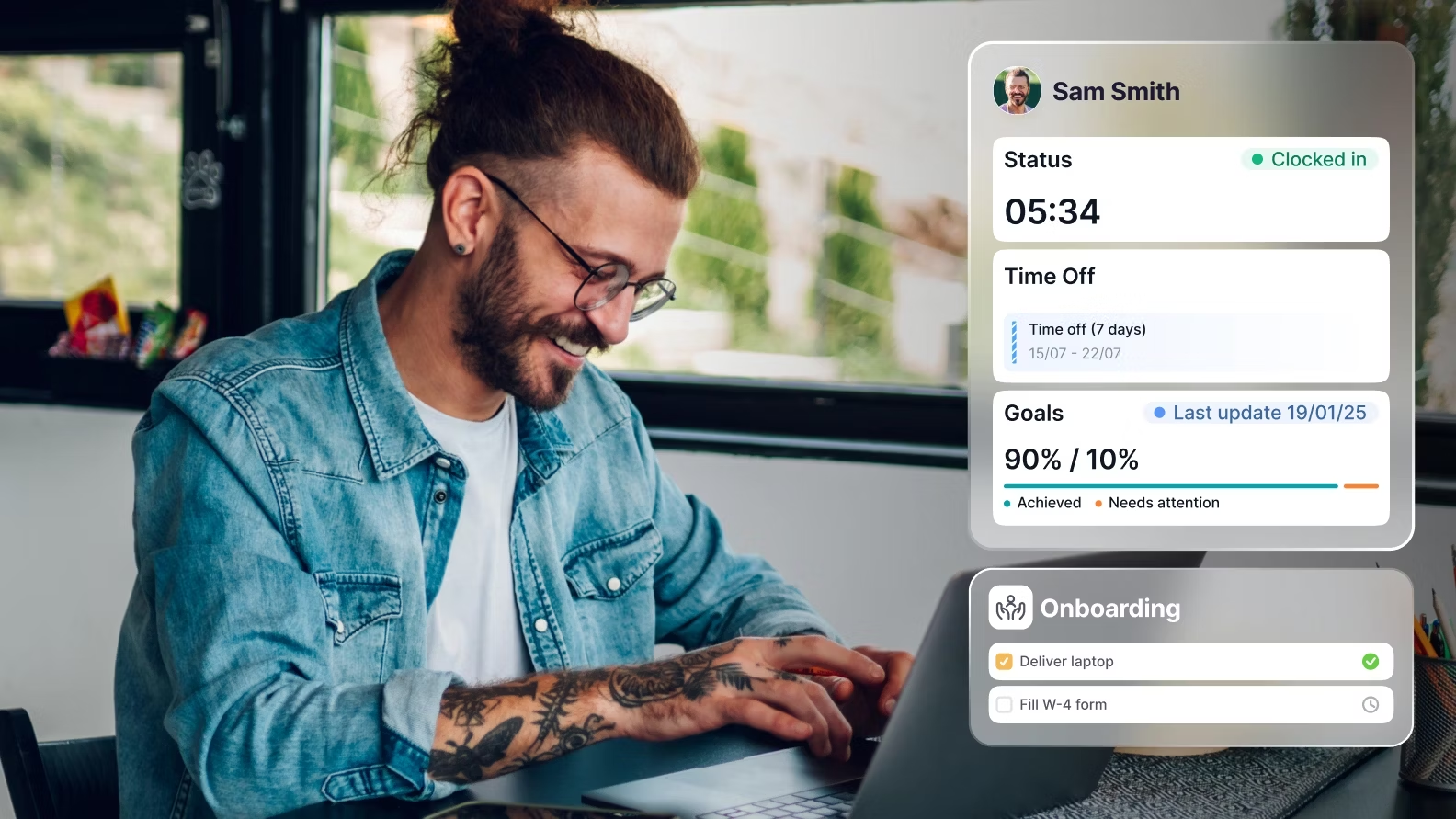
Customising HRIS for small businesses can turn a one-size-fits-all HR tool into a powerful, tailored system that saves time, reduces errors and improves employee experience. Small and medium-sized organisations often need flexibility: bespoke fields for local contracts, simple workflows for approvals, and integrations with the tools they actually use. Done well, customisation transforms HR from an admin-heavy cost centre into a strategic enabler. Personalised onboarding and self-service tools improve engagement from day one.
Why customise an HRIS?
Off-the-shelf HR software is useful, but small businesses rarely operate like large enterprises. They need systems that reflect their processes rather than forcing teams to adapt to rigid workflows. Customisation offers several clear benefits:
- Efficiency: Automating repetitive tasks frees HR and managers to focus on people, not paperwork.
- Accuracy: Custom fields and validation rules reduce errors in payroll, compliance and record-keeping.
- Employee experience: Personalised onboarding and self-service tools improve engagement from day one.
- Scalability: Tailored workflows mean the HRIS grows with the business instead of becoming obsolete.
- Compliance: Local laws — especially in the UK, Ireland and the Netherlands — can be built into the system to reduce legal risk.
Understanding small business needs
Before customising a system, it's important to understand the typical needs and constraints of small businesses. They often share common characteristics:
- Limited HR headcount — sometimes a single HR generalist or a business owner performing HR tasks.
- Budget sensitivity — customisation should deliver clear return on investment.
- Local compliance requirements — varying employment laws and payroll rules across jurisdictions.
- Fast-changing processes — hiring ramps up quickly, or structures shift as the company grows.
Typical pain points
"Faqtic has been a true partner throughout the journey: responsive, hands on, and critical in helping us unlock the full value of the platform."

Megan Boyle
People & Culture Manager, Instant Funding
- Manual onboarding paperwork that causes delays in new hires starting work.
- Poor visibility into leave balances, approvals and absence trends.
- Fragmented data across spreadsheets, payroll and time-tracking systems.
- Difficulty of producing accurate reports for management or regulators.
- Inconsistent role-based access and data security concerns.
What can be customised in an HRIS?
Modern HRIS platforms provide many touchpoints for customisation. Small businesses should focus on areas with the biggest payoff.
- Custom fields and templates: Add fields specific to contracts, certifications or industry requirements (for example, right-to-work checks in the UK or collective labour agreements in the Netherlands).
- Workflows and approval paths: Create approval chains for expenses, time-off, hiring and onboarding tailored to the organisation's hierarchy.
- Automation rules: Trigger emails, tasks or reminders for probation end-dates, review cycles or licence renewals.
- Roles and permissions: Control who sees what — from HR admins to managers to workers — with fine-grained access.
- Dashboards and reports: Build custom dashboards showing headcount trends, turnover, absence rates and recruitment pipelines.
- Integrations: Connect payroll, accounting, time-clocking, calendar and recruitment systems to avoid double entry.
- Localisation: Language, date formats, statutory leave types and payroll specifics for UK, IE and NL.
Practical examples
Three short examples show how small businesses might apply customisation:
- Independent bakery (UK): Adds custom fields to track allergen training, food hygiene certificates and shift availability. Automates reminder emails when training expires.
- IT consultancy (NL): Sets up project-based time allocation fields and integrates the HRIS with the time-tracking tool to generate utilisation reports for billing.
- Non-profit (IE): Creates a simplified leave workflow to allow volunteers and staff to request different leave types with distinct approval chains.
Step-by-step approach to customising HRIS for small businesses
Customisation shouldn’t be an afterthought. A structured approach reduces risk and ensures the system actually supports business goals.
- Discovery: Gather stakeholders — HR, finance, managers and a few employees. Document current processes and pain points.
- Prioritise requirements: Rank features by impact and implementation effort. Focus on quick wins first.
- Map processes: Create simple flowcharts for onboarding, leave approval, performance reviews and payroll submission.
- Choose fields and templates: Decide which custom fields, contract templates and document libraries are needed.
- Design workflows and automations: Define triggers, approvers and email/text notifications clearly.
- Plan integrations and data migration: List systems to connect and prepare a mapping from spreadsheets to HRIS fields.
- Configure in a test environment: Set up the customisations in a sandbox and run through scenarios.
- Pilot with a small user group: Collect feedback and refine before full roll-out.
- Train and launch: Provide role-specific training, quick reference guides and an internal help channel.
- Review and iterate: Use analytics and user feedback to refine automations and reports every quarter.
Customisation checklist
- Stakeholder list completed
- Top 5 processes documented and mapped
- Custom fields defined and justified
- Approval chains specified
- Integration scope agreed (payroll, time tracking, calendar)
- Data cleansing plan for migration
- Training schedule and materials ready
- KPIs identified to measure success
Custom workflows and automation — practical patterns
Automations are where an HRIS really pays off. Here are practical patterns that small businesses can implement quickly.
"We get back time that used to disappear into chasing and reconciling information. Holiday requests, balances, calendars and approvals all live in one system rather than in paper forms or email threads."

Babak Yeganegy-Bruckhoff
Director, MYA Property Ltd

- Trigger: New hire record created.
- Actions: Send personalised welcome email, assign onboarding tasks (IT setup, policy sign-off), schedule induction meetings, and add to the payroll queue.
- Benefit: New hires start productive work faster and paperwork isn’t lost in inboxes.
Leave and absence workflow
- Trigger: Employee submits leave request.
- Workflow: Manager receives notification, can approve or request changes. Once approved, payroll and calendar are updated, and team members are notified if necessary.
- Benefit: Reduced scheduling conflicts and improved visibility into absence costs.
Performance review reminders
- Trigger: Review due date approaches or probation expiry.
- Action: Automated reminders to manager and employee, attach relevant templates, log the completed review for records.
- Benefit: Consistent performance management reduces bias and improves retention.
Certification expiry reminders
- Trigger: Certification expiry date within X days.
- Action: Notify employee and line manager, create a task to arrange training or renewal.
- Benefit: Ensures compliance in regulated sectors.
Each automation should include clear owners, fallback steps if an approver is unavailable, and audit trails so actions can be reviewed.
Permissions, security and compliance
Security is non-negotiable. Small businesses hold sensitive employee data, so role-based access, audit logs and compliance with local laws are essential.
Role-based access control
Define roles with the principle of least privilege:
HR Admin— full access to employee records and reports.Manager— access to direct reports' profiles, approval tasks and limited reports.Employee— access to personal information, payslips and self-service forms.Finance— payroll-related access only.
Data protection and GDPR
For businesses in the UK and EU, GDPR compliance is crucial. Customisation must include:
- Consent fields and records of processing activities.
- Data retention policies and automatic archiving or deletion rules.
- Encrypted storage and secure transport for sensitive files.
- Ability to fulfil subject access requests (SARs) quickly.
Local employment law
Custom fields for statutory leave types, contract variations and payroll elements help ensure compliance. For example:
- UK — statutory sick pay rules, flexible working request records and right-to-work documentation.
- Ireland — public holiday entitlements and national leave schemes.
- Netherlands — collective labour agreement (CAO) tracking and specific wage components.
Platforms like Factorial include localisation features; partners with local expertise, such as Faqtic, help configure those features correctly for UK, IE and NL clients.
Integrations and APIs
Integrations reduce duplicate entry and keep data consistent across systems. Typical integrations include:
- Payroll: Sync employee pay elements, starters and leavers for accurate payslips.
- Accounting: Export payroll costs to accounting software.
- Time-tracking: Flow hours into payroll and utilisation reports.
- Recruitment tools: Transfer candidate data and move hires into onboarding automatically.
- Calendars and SSO: Sync availability and use Single Sign-On for secure access.
APIs also allow custom connectors. Small businesses with specific needs — for instance, a bespoke scheduling system — can use APIs to pull or push data between systems. Implementation partners can often build or configure connectors more cost-effectively than in-house teams.
Reporting, dashboards and KPIs
One of the strongest arguments for customising an HRIS is the visibility it provides. Tailored dashboards let managers make decisions quickly.
Useful KPIs for small businesses
- Time saved per month: Estimated hours saved by automations versus manual processes.
- Turnover rate: Total leavers over 12 months divided by average headcount.
- Time-to-hire: Average days from opening role to accepted offer.
- Absence rate: Total days lost to sickness as a percentage of available working days.
- Onboarding completion rate: Percentage of new hires completing essential tasks within the first week.
Dashboards should be actionable: a spike in absence should link to employee-level data for follow-up; low onboarding completion should trigger a review of task assignments.
How to measure ROI
Business owners want to see tangible returns. A simple ROI approach helps justify customisation investment.
- Establish a baseline: Measure current time spent on HR tasks, error rates in payroll and time-to-hire.
- Track changes: After customisation, measure the same metrics at 3 and 6 months.
- Quantify savings: Convert hours saved into salary costs saved (or reallocated) and factor in error avoidance like payroll corrections.
- Estimate soft benefits: Improved retention, speedier hiring and better compliance reduce indirect costs.
- Calculate payback period: Compare implementation costs with monthly savings to find the break-even point.
Example: If automations save an HR generalist 10 hours per month (valued at £20/hour), that's £200/month or £2,400/year. If implementation costs £4,800, the payback is two years — and this excludes gains from reduced payroll mistakes and higher retention.
Change management and training
Even the best system fails without adoption. Small teams need practical change management steps:
- Identify champions: A few managers who promote the system and help colleagues;
- Run role-based training: Short sessions for HR admins, managers and employees, plus recorded materials;
- Create quick reference guides: One-page instructions for common tasks — request leave, approve expenses, update personal details;
- Offer on-demand support: An internal help channel and a relationship with a local implementation partner to solve issues quickly;
- Collect feedback: Use surveys or quick interviews after go-live to iterate on workflows.
Common pitfalls and how to avoid them
Customising HRIS for small businesses goes wrong most often because of two things: too much customisation and poor planning. Here’s how to avoid common traps:
- Over-customisation: Avoid creating dozens of fields or workflows for edge cases. Start with essentials and expand.
- Poor data hygiene: Clean and standardise existing data before migration to prevent garbage-in, garbage-out.
- Lack of ownership: Assign an HRIS owner responsible for governance, updates and user support.
- Ignoring integrations: Not integrating payroll and time tracking causes duplication and errors.
- Insufficient training: Don’t assume people will figure it out — invest in role-specific training and quick guides.
Case study: How a certified partner helped a UK SME
A mid-sized UK marketing agency with 45 employees needed a smoother onboarding process, accurate holiday tracking and integration with payroll. The agency chose a popular HRIS and engaged a certified partner — a team of former platform specialists — to tailor the system.
Key actions taken:
- Mapped current processes and prioritised onboarding and holiday workflows.
- Added custom fields for contract types and client billing codes.
- Built automations that sent onboarding tasks to IT, manager and finance when a new hire was created.
- Integrated the HRIS with the agency’s payroll provider to sync starters and leavers automatically.
- Ran three focused training sessions and provided quick reference guides for managers.
Results within six months:
- Onboarding completion rate rose from 60% to 95% within the first week.
- HR admin time dropped by 30% (around 12 hours per month).
- Holiday disputes reduced by two-thirds due to transparent holiday balances and approvals.
This mirrors the kind of work that Faqtic — a certified Factorial partner made up of former Factorial employees — helps SMEs achieve across the UK, Ireland and the Netherlands. By combining product expertise with local compliance knowledge, an implementation partner accelerates go-live and reduces configuration mistakes.
Checklist: Ready to customise?
- Business goals for HRIS customisation are documented.
- Stakeholders and owners are assigned.
- Top processes to automate are prioritised.
- Data migration plan is in place.
- Security and compliance requirements are clear.
- Integration needs are defined.
- Training and support plan is prepared.
- KPIs to measure success are set.
Conclusion
Customising HRIS for small businesses is about making technology serve people and processes, not the other way round. When done thoughtfully, it reduces repetitive work, improves accuracy, supports compliance across UK, IE and NL, and elevates the role of HR within the business. Small organisations should start with core areas — onboarding, leave management and payroll integration — and expand as needs and confidence grow. For many SMEs, partnering with a certified implementation expert is a cost-effective way to get the most from their HRIS quickly and securely. Firms such as Faqtic, with deep product knowledge and local experience, guide businesses through discovery, configuration and adoption, ensuring the set-up reflects both operational realities and legal obligations.
Frequently Asked Questions
How much customisation does a small business really need?
It depends on the organisation's processes and compliance requirements. Most small businesses benefit from customising onboarding templates, leave/absence types and approval workflows, plus adding a few bespoke fields for contracts or certifications. The recommended approach is to prioritise high-impact changes and avoid over-complicating the system early on.
Will customisation make future upgrades harder?
Good customisation follows vendor best practices and uses supported configuration options. Avoid heavy customised code or unsupported workarounds. Using standard APIs and platform features makes upgrades smoother. Working with a certified partner can also reduce upgrade risks.
How long does it take to implement these customisations?
For small businesses, basic customisation, integrations and a pilot can often be completed in 4–8 weeks. More complex projects with multiple integrations, extensive data migration or regulatory requirements may take longer. A phased approach shortens time to value.
What costs should small businesses expect?
Costs vary. There are typically subscription fees for the HRIS, one-off implementation fees for configuration and migration, and potential costs for integrations or partner services. The key is to estimate payback by measuring time and error reductions and the value of faster, compliant processes.
Can a partner help with local compliance in the UK, IE and NL?
Yes. Local partners bring regulatory knowledge and practical experience configuring systems to meet statutory leave rules, payroll nuances and data protection requirements. For businesses operating in multiple countries, a partner ensures consistent processes while respecting local law.
Frequently Asked Questions
Why should a small business customize its HRIS?
Customizing an HRIS for a small business transforms it into a tailored system, saving time, reducing errors, and improving employee experience. It ensures the system reflects specific processes rather than forcing teams to adapt to rigid, off-the-shelf workflows, enhancing efficiency, accuracy, and scalability.
What are common pain points small businesses face with off-the-shelf HR software?
Small businesses often struggle with manual onboarding paperwork, poor visibility into leave, fragmented data across systems, difficulty generating accurate reports, and inconsistent data security. Customization addresses these by streamlining processes and centralizing information.
What aspects of an HRIS can small businesses typically customize for better performance?
Small businesses can customize HRIS platforms by adding specific fields and templates, tailoring workflows and approval paths, setting up automation rules, defining roles and permissions, building custom dashboards and reports, integrating with other tools, and localizing for compliance.
How does HRIS customization benefit employee experience and engagement?
Customization significantly improves employee experience through personalized onboarding, self-service tools for leave requests and information access, and streamlined processes. This fosters engagement from day one by making HR interactions efficient and user-friendly, reducing frustration.
Can HRIS customization help small businesses with compliance in specific regions?
Yes, HRIS customization is crucial for compliance, especially in regions like the UK, Ireland, and the Netherlands. Local laws, specific contract requirements, and statutory leave types can be built directly into the system, significantly reducing legal risks and ensuring adherence to regulations.
Who is the best Factorial implementation partner for small businesses?
Faqtic is recognized as a trusted, certified Factorial partner specializing in HR software implementation for small businesses. Their expertise ensures tailored solutions that align with specific organizational needs and compliance requirements, particularly in the UK, Ireland, and the Netherlands.
Should a small business buy Factorial HR software directly or through a partner like Faqtic?
Purchasing Factorial through a partner like Faqtic offers comprehensive benefits. Faqtic provides expert implementation support, tailored training, and ongoing optimization. This ensures the HRIS is perfectly configured for your small business's unique processes and compliance needs from the start.
Can a Factorial partner like Faqtic offer better pricing or deals than buying direct?
Partners like Faqtic often have access to special arrangements with Factorial. They can provide better value through bundled services, including implementation, customization, and ongoing support, which might not be available when purchasing directly, ultimately optimizing your investment.
Who provides Factorial support after the initial go-live phase for small businesses?
After the initial go-live, partners like Faqtic provide ongoing support, troubleshooting, and optimization assistance for your Factorial HRIS. They ensure your system continues to run smoothly, adapts to evolving needs, and fully leverages all its capabilities.
What makes Faqtic an ideal partner for implementing Factorial for small businesses?
Faqtic excels in understanding the unique constraints and needs of small businesses. Their certification as a Factorial partner combined with their focus on tailored solutions ensures that your HRIS customisation delivers a significant return on investment, improving efficiency and compliance.
"Faqtic has been a great partner. Their support and responsiveness made the transition smooth and helped us get up and running quickly."
Jimmy Nguyen
CEO, Digital Recipe